
SafeBeep3 - Google Play
You'll be able to see results in few seconds.
Publisher Description

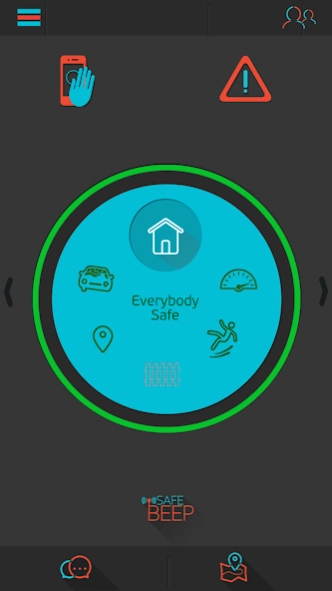
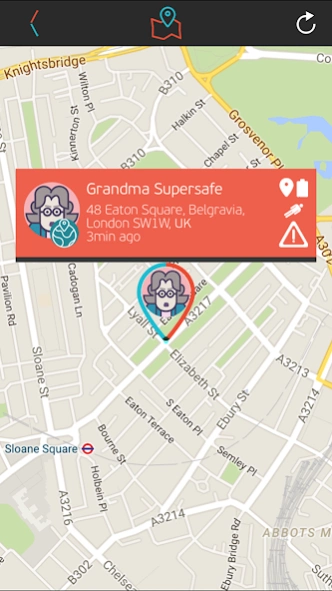
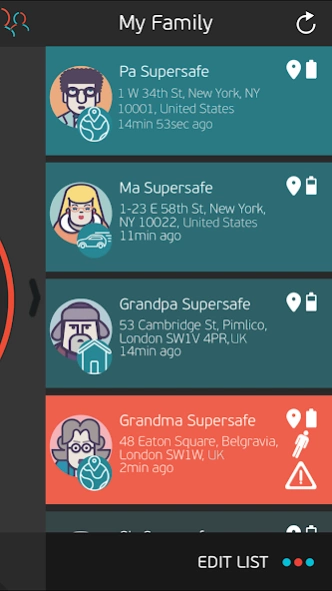
SafeBeep transforms your smartphone into an alarm system when in danger
SafeBeep is an innovative application that transforms your smartphone into a multi-level, monitoring alarm system that warns against emergency situations, like car accidents or body fall.
The application is downloaded and installed on the smartphone of the “protected members” and enables them to connect with the Guardian(s) and the rest of the “family” members. It serves as an everyday life monitoring service that runs “silently” on your smartphone’s operating system and becomes active only when an emergency situation actually occurs. If you wish to get informed in detail of the emergency situations handled by SafeBeep or the phone devices that can support it, please visit our website on www.safebeep.com
Safebeep is ideal for people who want to:
• protect their loved ones and feel protected
• be notified if any family member is in danger
• keep family members connected together and enhance their bonding
• create a safety family circle that allows you and the rest of family members to feel protected
The app allows you to monitor and alert whenever you or a family member is involved in:
• a Car Accident
• a Safety Perimeter Breach around a designated area
• Body Fall or unstable walking, a specifically helpful function for senior citizens
• Speed Limit Violation
As a SafeBeep user you can also:
• raise manual alarms, either a “Silent” one without touching the phone screen and being detected by a third party, or an instant Emergency alarm, when you are in danger
• get instant notifications about your family members’ safety status, their activities and location on a map
• check your family location on a map at all times
• get route directions to reach the location in case a “family” member has raised an alarm
• share your location, if you wish, by using the check – in feature
• chat separately with a member or participate in a group chat with your entire “family” by using the chat feature
• check and edit your information at all times, but always stay protected under the SafeBeep automatic multi-level alarm and monitoring system. You can deactivate being tracked down if you need some “time off” but still remain protected as the app is “silently” running in your smartphone’s operating system
• be able to access and handle the application through the web page www.safebeep.com and if you are the Administrator of your “family”, modify all family members’ settings, delete members from your “family” list, receive the latest history of up to one month regarding any activity or position of all members on a site map
• pair a smartwatch, which can be very convenient for senior citizens and children
Disclaimer about battery consumption
Continued usage of location services, as the app runs on the background of your smartphone can excessively drain your battery.
About SafeBeep
The company that develops SafeBeep is INNOVATIVE APPLICATIONS S.A.. The latest version released by its developer is 3.
To install SafeBeep on your Android device, just click the green Continue To App button above to start the installation process. The app is listed on our website since 2021-06-18 and was downloaded 0 times. We have already checked if the download link is safe, however for your own protection we recommend that you scan the downloaded app with your antivirus. Your antivirus may detect the SafeBeep as malware as malware if the download link to innovativeapplications.android.safebeep is broken.
How to install SafeBeep on your Android device:
- Click on the Continue To App button on our website. This will redirect you to Google Play.
- Once the SafeBeep is shown in the Google Play listing of your Android device, you can start its download and installation. Tap on the Install button located below the search bar and to the right of the app icon.
- A pop-up window with the permissions required by SafeBeep will be shown. Click on Accept to continue the process.
- SafeBeep will be downloaded onto your device, displaying a progress. Once the download completes, the installation will start and you'll get a notification after the installation is finished.
Program Details
System requirements
Download information
Pricing
Version History
version 3
posted on 2021-06-18
version 3
posted on 2020-11-03
- Stability improvements
version 1.6
posted on 2016-10-06
- Improved battery consumption,- Minor bug fixes,- New feature Destinations,- WiFi smart usage,- Enhanced visualization of Daily Activity
Disclaimer
Official Google Play Link
We do not host SafeBeep on our servers. We did not scan it for viruses, adware, spyware or other type of malware. This app is hosted by Google and passed their terms and conditions to be listed there. We recommend caution when installing it.
The Google Play link for SafeBeep is provided to you by apps112.com without any warranties, representations or guarantees of any kind, so access it at your own risk.
If you have questions regarding this particular app contact the publisher directly. For questions about the functionalities of apps112.com contact us.
